This article describes the previous version of the Topic Architecture. The new Topic Architecture is available as a beta and can be activated at any time: it is faster, more organized, and brings all previous 4 levels together in one view. Learn more about the new Topic Architecture.
You can expand the content of a topic by adding stories from other topics to support it. In this way, a story can be displayed as a secondary story in other topics in addition to its main topic. In the topic view, you can identify the main stories by a full bar in front of the story row. Secondary stories are marked by a dashed line.
To display the main and secondary stories in the topic view, you have two options:
- Keep the main and secondary stories separated into two sections to show a clear hierarchy:
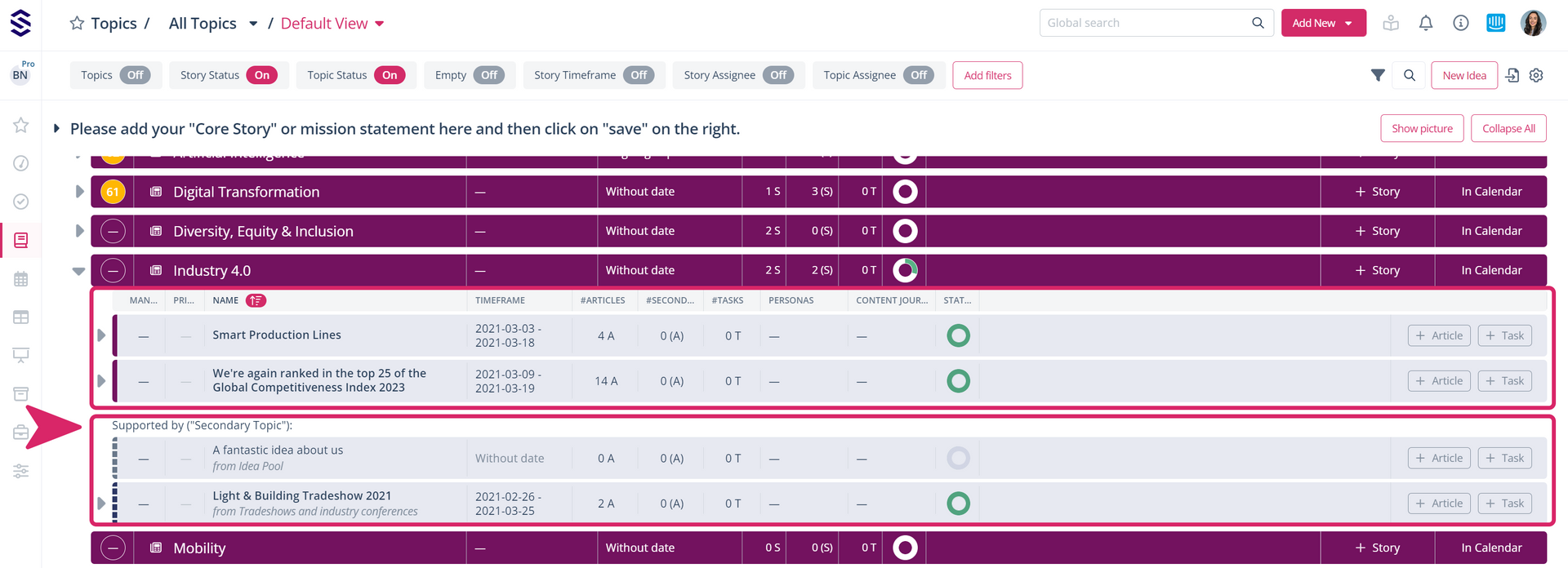
- Integrate the secondary stories into the main stories. This way, you can see all the assigned elements at a glance and in continuous sorting, for example, in chronological order:
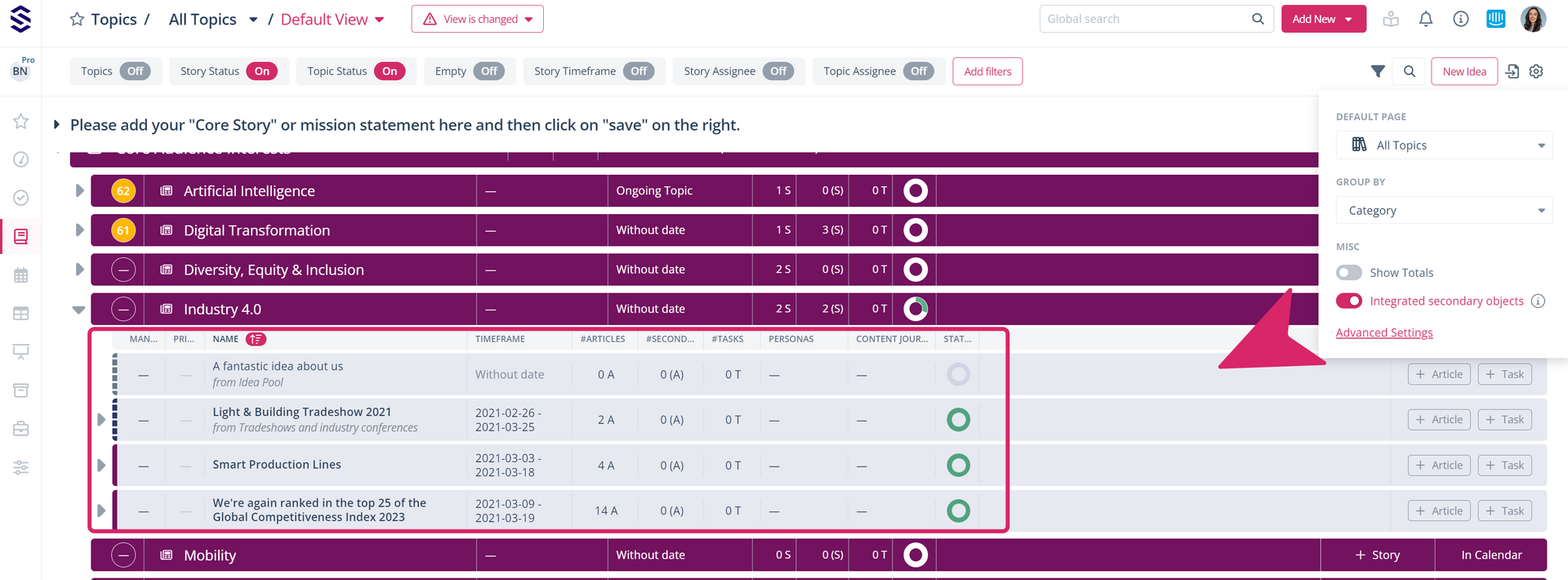
To integrate the secondary stories into the main stories, click on the configuration wheel in the top navigation menu and activate the option “Integrated secondary objects” with the toggle. You will then see that the main and secondary stories are no longer divided into two blocks, but are combined into one group.
In addition to the line on the left-hand side of each story, the names of the main stories are shown in bold. The colour of the line represents the topic to which the story belongs. This way, you always have all the relevant information at a glance: