

Scompler AI helps you go from a blank project to a strategically grounded Topic Architecture in a single guided AI session. By gathering the necessary business and communication context, the AI applies built-in strategic best practices to generate a scalable Topic Architecture tailored to your organization’s goals, audiences, positioning, and planning priorities.
Prerequisites:
- You are using the Scompler PRO package
- You have activated Scompler AI
- You have AI credits available
- Your user group has Scompler AI permission enabled
If you already have an existing Topic Architecture and want to analyze or improve it, please refer to Using Scompler AI to optimize existing Topic Architectures.
Preparation
Ideally, before creating your Topic Architecture, prepare any information that may help the AI understand your organization and communication strategy. Gather information about:
- Your organization:
- What your organization does, its products/services, business model
- Industry and category position (leader, challenger, niche)
- Core competitive positioning (what your organization uniquely claims to own in the market)
- Link to the corporate website
- Communication & business goals:
- What communication is trying to achieve (brand awareness, lead generation, thought leadership, narrative change, customer retention, PR/reputation, investor relations, etc.)
- The 3–5 core narratives your organization needs the market to believe
- Top business priorities for the planning horizon (growth areas, new segments, product launches)
- Audience landscape:
- Who your organization is targeting (roles, industries, segments)
- Buying group composition (who influences, who decides, who uses)
- Where your organization’s audiences are currently under-served
- Planning constraints:
- Planning horizon (quarterly, annual, multi-year)
- Upcoming major campaigns or events
The quality of the generated Topic Architecture depends heavily on the strategic context you provide. However, if you don’t have all answers ready, the AI will still deliver valuable results. To get the best results, ensure the following:
- Be specific about business and communication goals
- Clearly describe your target audiences
- Mention upcoming initiatives, campaigns, or product launches
- Share examples of competitors or industry positioning where relevant
- Review and refine the generated structure together with your team
Set up Your Topic Architecture with Scompler AI
You can use Scompler AI to build a topic architecture that is tailored to your organization.
- Navigate to Topics.
- Click Scompler AI.
Scompler AI opens. - Click Set up my Categories & Topics from scratch.
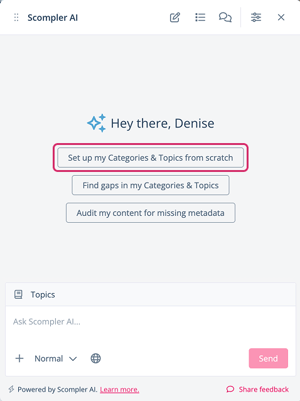
Based on available project context (personas, strategy parameters, channels, content models etc.), Scompler AI asks a series of guided questions about your organization. - Provide the organizational and strategic context prepared earlier.
The AI proposes a set of categories. - Click Create the changeset.
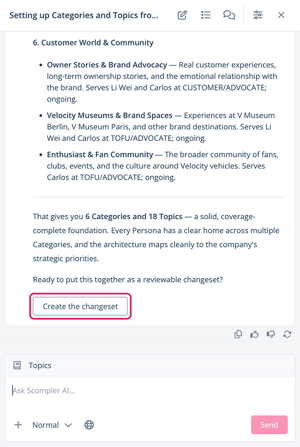
- Click Suggested Changes, once the changeset creation is done.
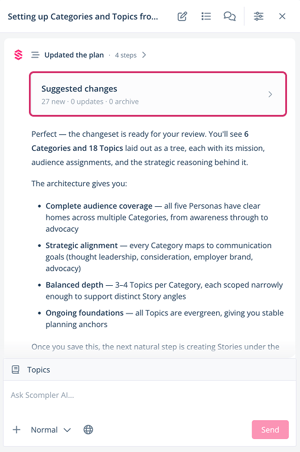
The suggested changes display in preview mode. - Review the suggestions and, if needed, deactivate selected suggestions via the checkbox.
- Click Save.
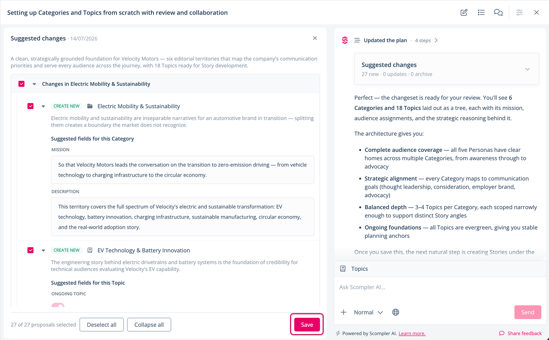
Scompler AI creates the new categories and topics in your project.
You have set up your topic architecture using Scompler AI. The generated categories and topics are displayed under Topics. You can now create stories and articles for the generated topics.