
To make multiple languages available within posts, you need to first set up the desired language variants.
Add a Language Variant
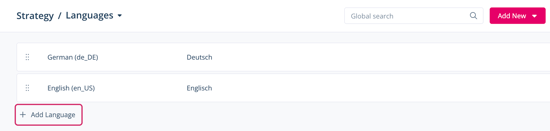
- Navigate to Strategy > Languages.
- Click Add Language.
A new item appears in your list of languages. - From the dropdown menu displaying the language, select the language you want to add.
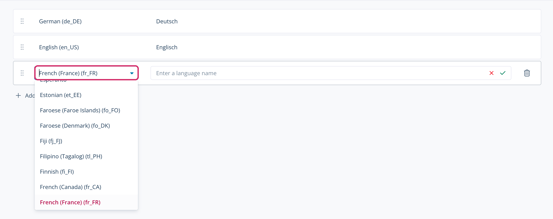
- In the field next to the language, enter the name that should appear for this language in the corresponding dropdown menu in posts.

- Click the checkmark icon.
You have added a language variant to your platform. The language appears in the overview list of configured languages. You can remove added language variants at any time by hovering your cursor over the language and clicking the trash can icon.
