
Custom writing styles allow you to define tone, structure, wording, and language preferences for AI-generated content.
- Open the article for which you want to generate or improve the text.
- Click AI.
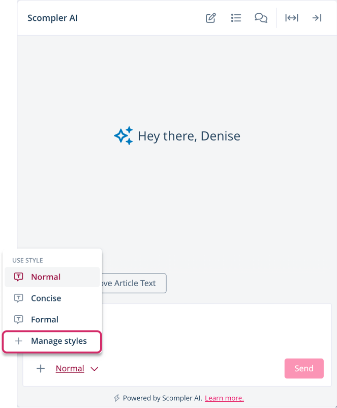
Scompler AI opens. - In the writing style dropdown menu, click Manage Styles.
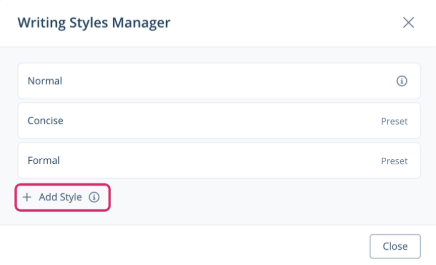
The Writing Styles Manager dialog opens. - Click Add Style.
The Create Style dialog opens.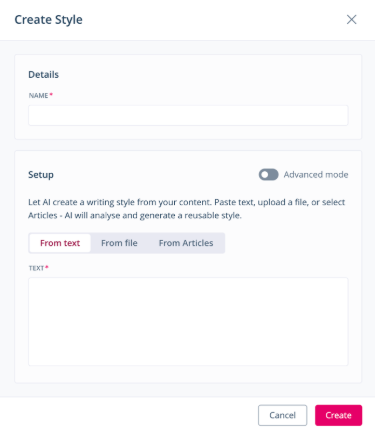
- Under Details, enter a name for the writing style.
- Under Setup, enable or disable the advanced mode.
In the regular mode, Scompler AI generates a writing style from provided input such as text, files, or articles. In advanced mode, you manually define the writing style using your own guidelines.
- Provide information that enables the AI to write in the desired style.
- Click Create.
The custom style is added to the Writing Styles Manager dialog.
You have created a custom writing style. It is now available in the writing style dropdown menu and can be applied when generating texts.