Scompler AI allows you to export the results of your work directly from the chat. This makes it easier to continue working with your results outside Scompler without having to copy and format them manually. Results can be exported as one of the following file types:
- Word (.docx) - for documents and text-based deliverables
- PowerPoint (.pptx) - for presentations and slide-based content
- Markdown (.md) - for structured text that can be used in Markdown-compatible applications
Prerequisites:
- Scompler AI is activated for your project
- Your user group has the Scompler AI permission
- Your organization has AI credits available
- Click Scompler AI.
Scompler AI opens in your selected display mode. - Ask Scomper AI to complete a task, e.g. create a set of Social Media posts. You can also open a recent chat with results you want to export as a file.
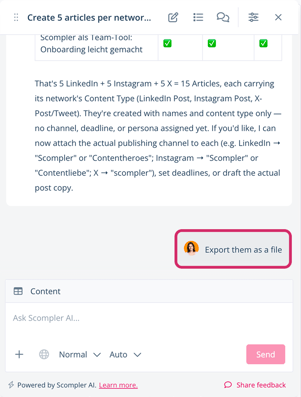
- Scompler AI may ask if you want to export the generated content as a file. If so, instruct the AI to do it. Otherwise, send your export request via chat.
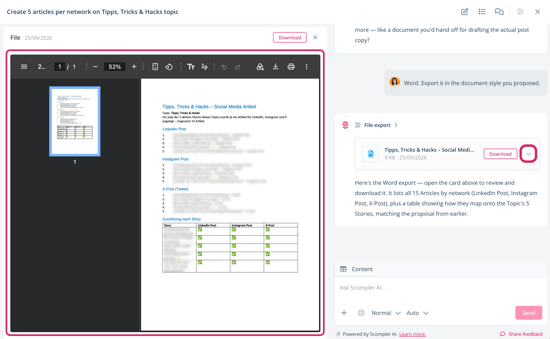
The AI processes the export. Once finalized, the file is displayed as a tile. - Optionally, click the tile or arrow to open a preview of the created file.
- Click Download.
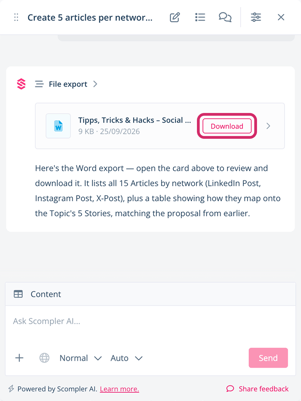
The file is downloaded to your default downloads folder.
You have exported a file with your Scompler AI results. You can now use the file outside of Scompler.
If you want a specific file type, structure, or formatting, you can ask Scompler AI to prepare the content accordingly before exporting it. Otherwise, Scompler AI selects the most suitable file type based on the content and uses the structure and formatting generated in the chat.