Here is an overview of the features and optimizations presented in this article:
- Scompler AI
- Bulk-editing for stories
- Improvements for better overview, uniformity, and better performance:
- Attachments tab
- Filter logic
- Creation of content types
- Even better performance overview:
- Staffbase performance data, better channel overview, settings
- KPI time course in analytics tab

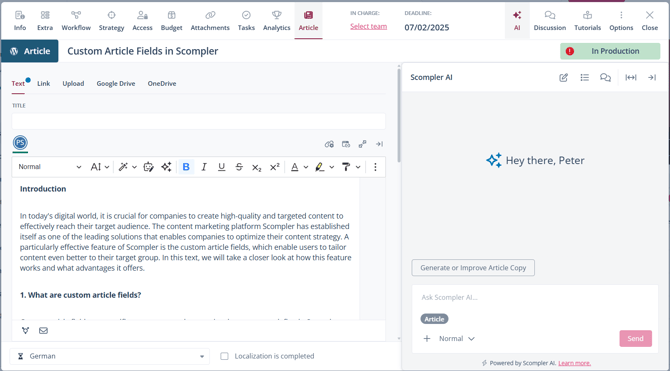
Scompler AI
With our brand new Scompler AI, you can work more efficiently than ever before in Scompler: Get suggestions for story and article ideas, or generate and optimize entire article texts - all directly in Scompler.
Bulk-editing stories
Stories can now be edited using a bulk editing function. By selecting multiple stories, the following properties can now be customized in all elements:
-
Status
-
Topic
-
Secondary topic
-
Shortcuts
-
Personas
-
Content models
In addition, the function can also be used to delete multiple stories at once.
Improvements for greater clarity, consistency, and better performance:
- Attachments tab
- Important information such as file size, upload date, etc. is now visible directly in the material tab.
- Filter logic
- Filters now generally only become active after the “Confirm” button has been pressed.
- Creation of content types
- The creation mask for content types is now more clearly laid out to ensure smoother workflows and a consistent user experience.
Even better performance overview:
-
Staffbase performance data, improved channel overview, settings
-
Staffbase performance data is now also available in the analytics tabs and report widgets, channel selection is now better structured, and advanced post settings can be configured.
-
-
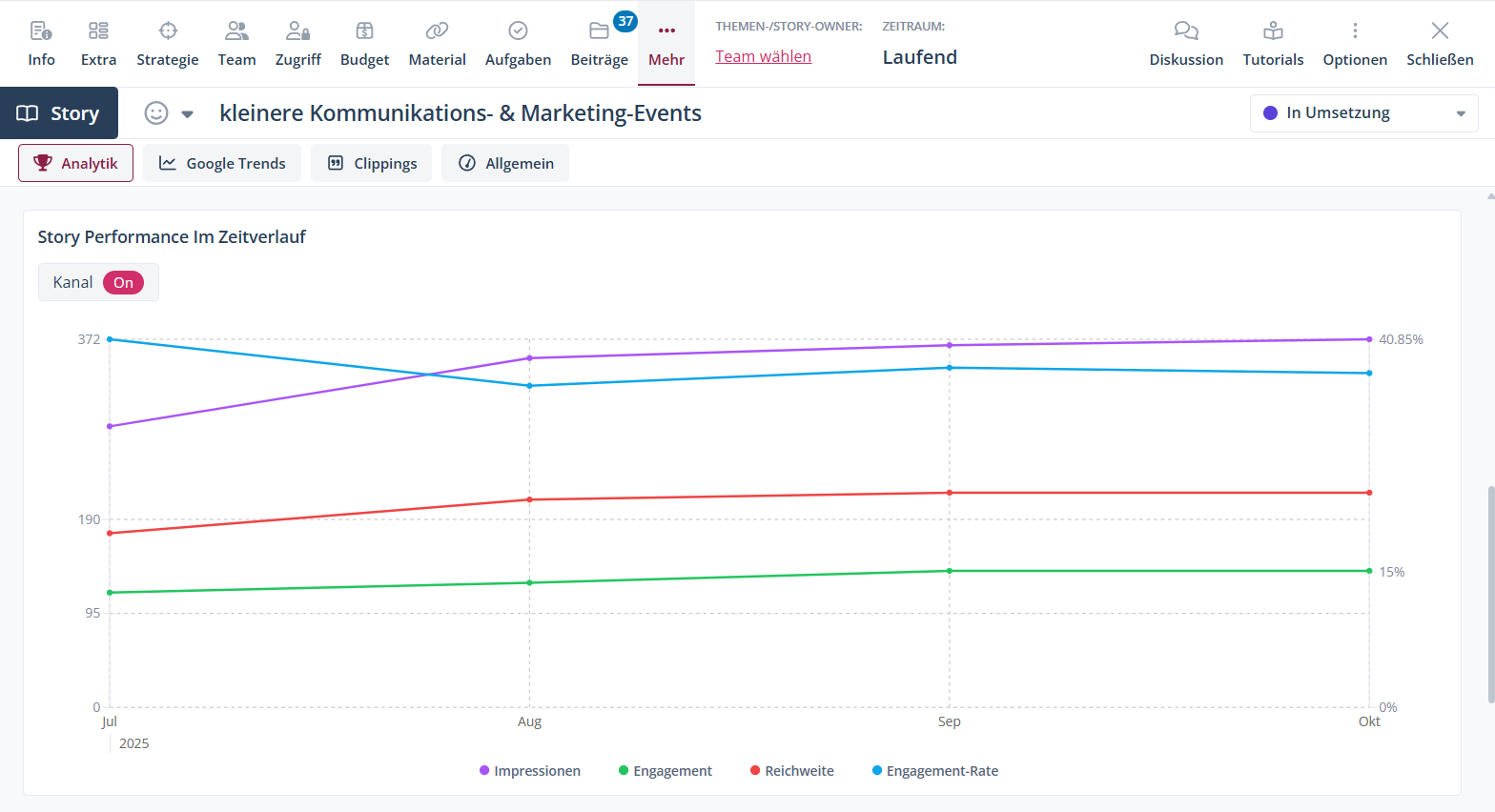
KPI timeline in the analytics tab
-
The analytics tabs at the post, story, and topic levels now show charts that display KPI development on a timeline.
-