
Our November release is all about Scompler AI: AI co-workers join your team and take on writing, reviewing, and monitoring tasks, and three new architects help you build your whole strategy foundation. Here’s a quick look at both, with links to all the details.
To discover all enhancements, including minor improvements and fixes, also take a look at our Product Updates.
Scompler AIActivation (Admin)
AI Co-workers
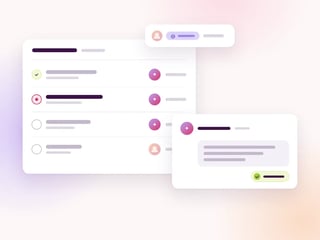
Hand work to AI co-workers the way you hand it to a colleague. Once activated, three AI co-workers join your project as team members:
- Drafter: Writes and revises texts the way your project writes
- Reviewer: Checks texts against the brief before approval
- Orchestrator: Watches topics and stories and flags what needs you
Assign them to workflow steps or mention them in comments. Approving content always stays with your team.

Scompler AI
Strategy Architects
Scompler AI now builds your whole strategy foundation the way a content strategist would. Three architects join the Topic Architect:
- Content Strategy Architect: Groups, parameters, and options
- Persona Architect: Personas with complete profiles
- Content Models Architect: Complete frameworks
Start from scratch or let them find the gaps in your setup. You review everything before it’s saved.
Interactive demo · AI Co-workers
See AI Co-workers in Action
Click through an interactive demo and see how the Drafter, Reviewer, and Orchestrator work together in a project, from the first draft to the approval.
Got feedback or ideas for improving a feature? Talk to your Customer Success Manager or reach out to our Support team. We’d love to hear from you!
P.S. Keep an eye out in Scompler, too: some of the new features come with an in-app tour that walks you through them right in your own project.