![scompler-logo-white@2x.png]](https://kb.scompler.com/hs-fs/hubfs/scompler-logo-white@2x.png?height=40&name=scompler-logo-white@2x.png)

Simply select several articles in the Content or Topics area and the bulk options will appear above your content:
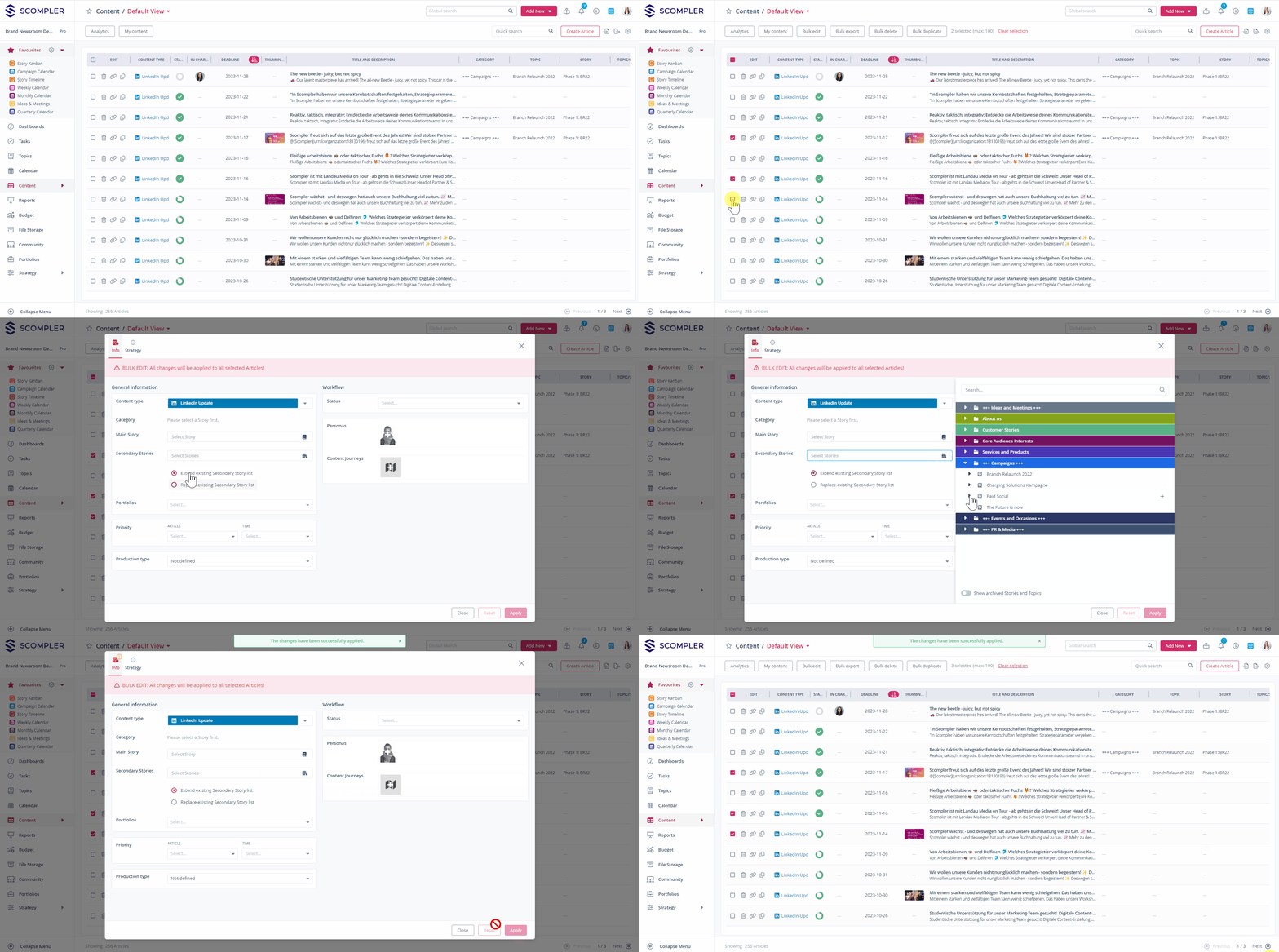
Assigning workflows in bulk to articles
In the content overview, you will find the “Bulk Edit” button at the top as soon as you have marked more than one article. Clicking on it opens a window in which you select your desired workflow in the right-hand area under “Workflow”. Now click on “Save” at the bottom right and the marked articles will now have the new workflow assigned.
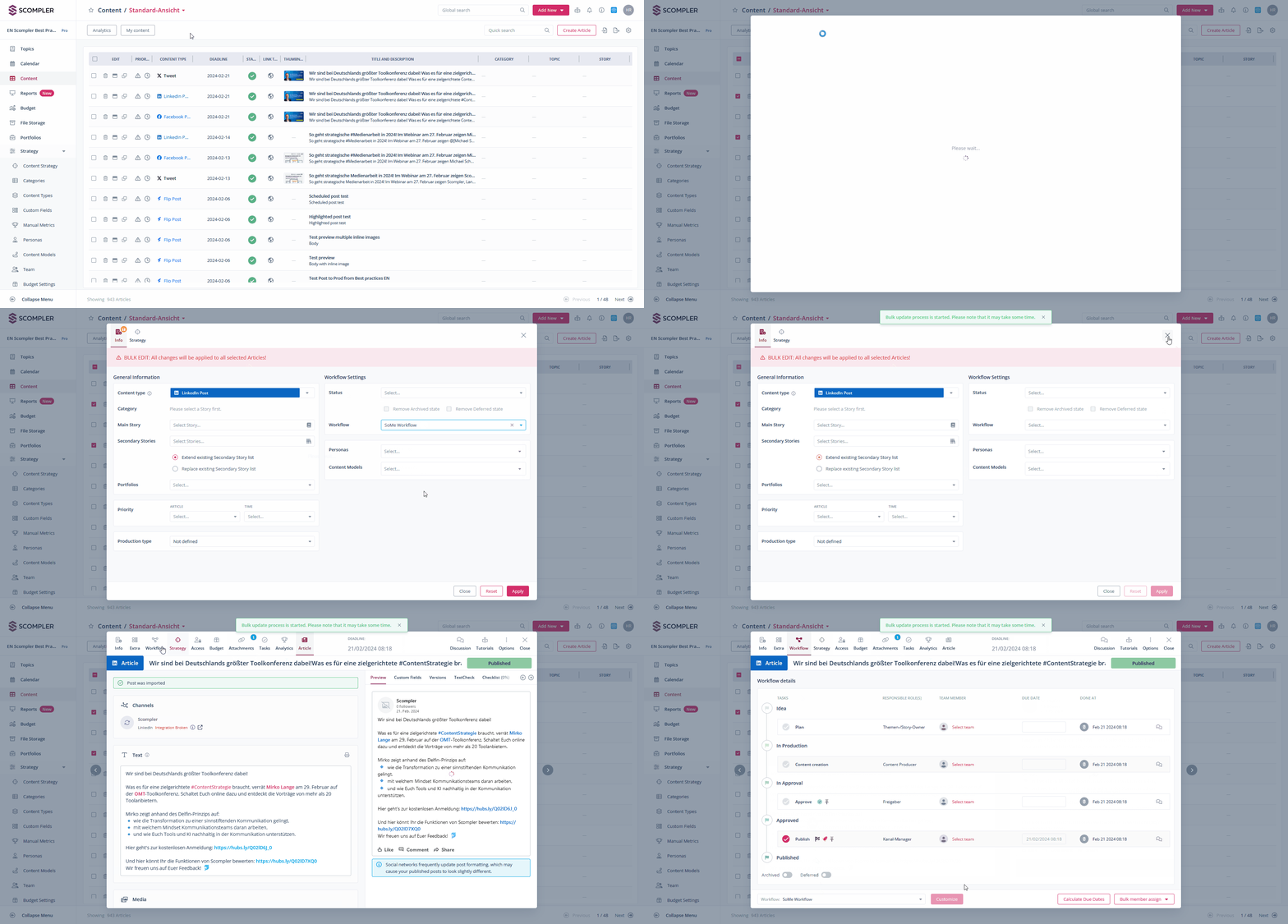
NOTE: Changing the workflow resets the respective workflow status. If mandatory, a four-eyes check and/or an approval must be carried out again.