
The sentiment data is based on incoming comments from Community Management, which are classified as positive, neutral, negative, or mixed and then aggregated through the content hierarchy. Mentions and direct messages are not included in this analysis.
The following widgets are available to help you analyze your posts, stories, and topics:
Access Sentiment Analysis
You can view analytics for your posts, stories, and topics in their respective cards. The following steps show you how to access sentiment analysis within a topic.
- Navigate to Topics > the topic for which you would like to view the sentiment.
- Click More > Data.
When accessing sentiment analysis within posts, click More > Sentiment.
- Click Sentiment.
The Sentiment tab opens.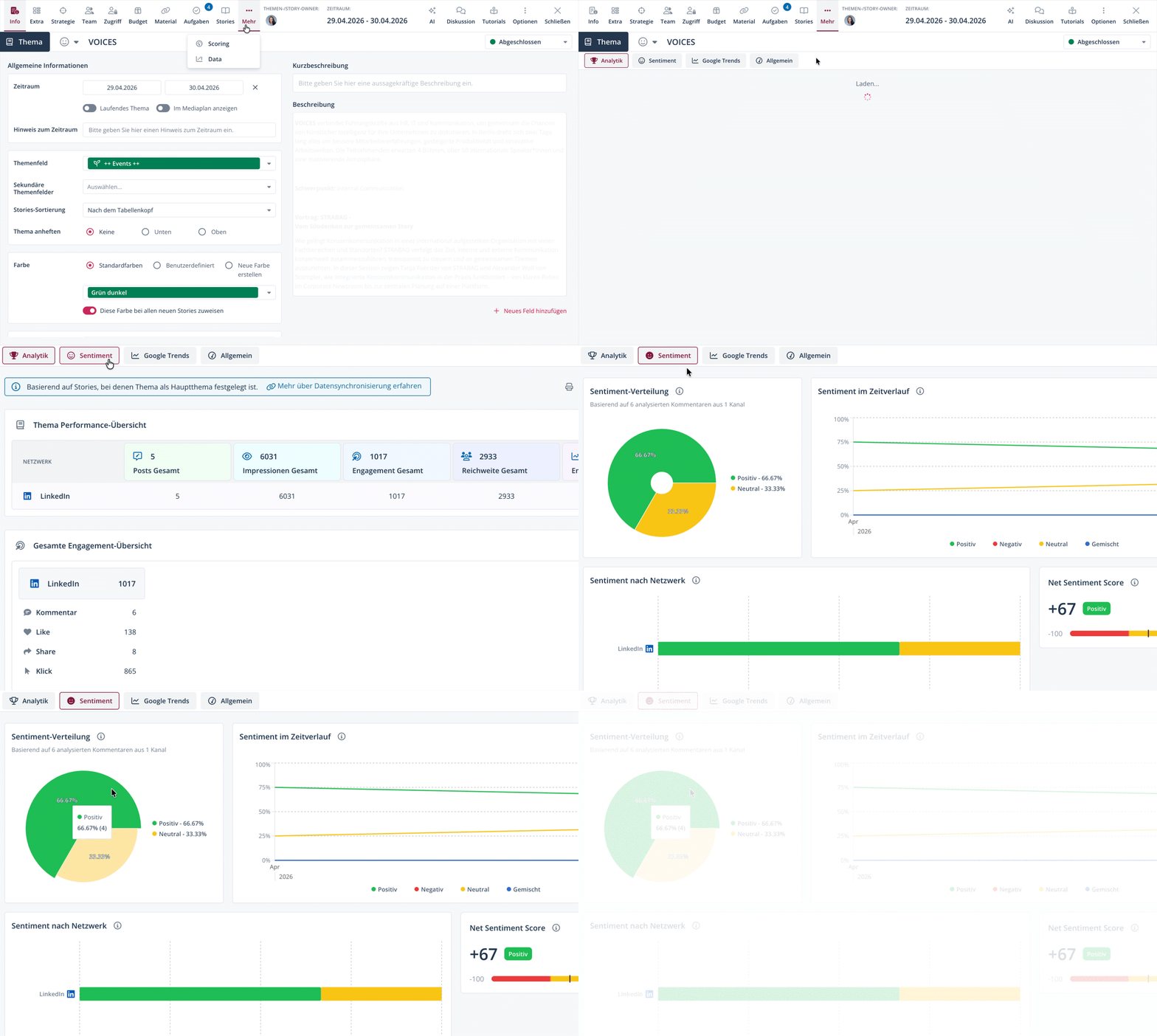
You have accessed the sentiment analysis for the selected topic. You can use the print icon to download or print the charts as a table.
If you enable the Include secondary toggle, the individual charts will also include data from secondary classifications.
Sentiment Distribution Chart
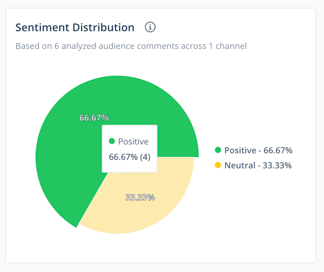
The Sentiment Distribution chart shows the distribution of positive, neutral, negative, and mixed sentiment across all interactions received for the post, story, or topic.
This gives you a quick overview of how your target audience is reacting overall to the post, story, or topic.
The chart includes:
- a percentage distribution of the sentiment categories
- the number of comments per category
- the total number of analyzed comments
-
the total number of channels through which comments were receive
Sentiment over Time Chart
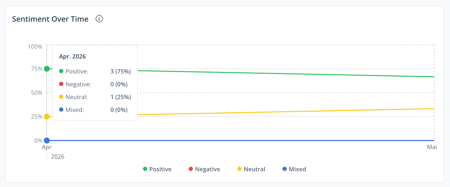
The Sentiment Over Time chart shows how your target audience's sentiment toward the post, story, or topic changes over time.
This allows you to recognize shifts in perception, identify negative trends early on, and conduct a long-term assessment.
When you hover your cursor over a data point on the timeline, a dialog opens showing the number and exact percentages of each sentiment.
Sentiment by Network Chart
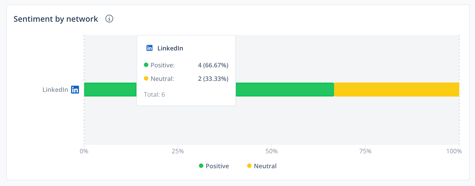
The Sentiment by Network chart shows how sentiment varies across different social networks.
This allows you to identify, for example, which platforms perceive content as particularly positive, where critical discussions arise, and helps you uncover network-specific patterns.
When you hover your cursor over a bar, a dialog opens showing the number and exact percentages of each sentiment.
Net Sentiment Score Chart
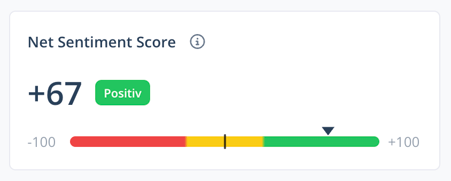
The Net Sentiment Score summarizes the overall sentiment toward the post, story, or topic in a single metric. It is calculated using the following formula:
Net Sentiment Score = (% of positive comments) − (% of negative comments)
Comments classified as neutral or mixed are not included in the calculation of the Net Sentiment Score.
In addition to the Net Sentiment Score metric, a label is displayed that classifies the metric on a scale. Depending on the value achieved, this label is:
- Negative: -100 bis -26
- Balanced: -25 bis +25
- Positive: +26 bis +100