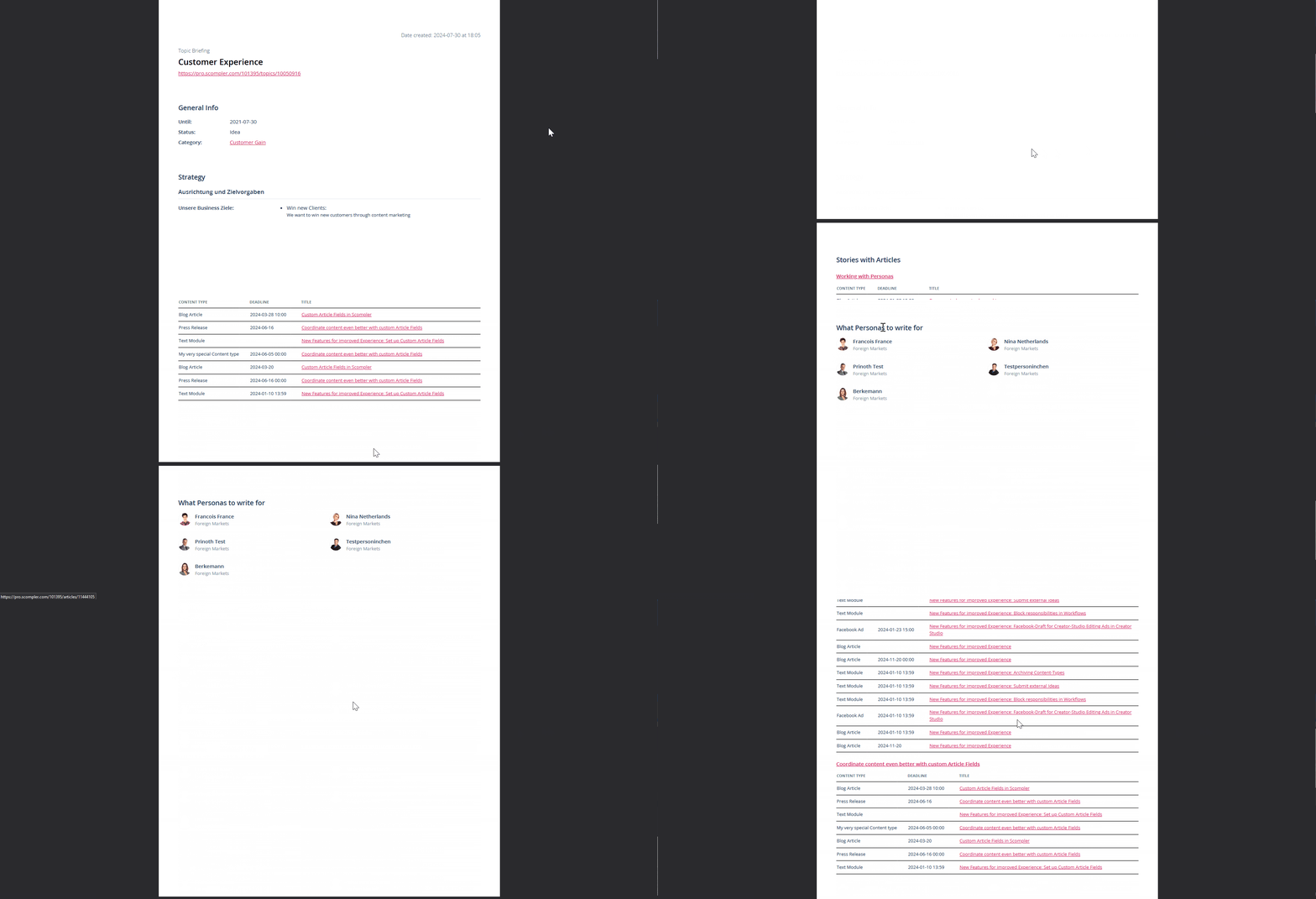
A briefing summarizes the plan for a topic, story, or article, for example for an agency or another department. You choose what it contains and export it as a PDF or Word file.
The briefing contains the information from the card. Before you export it, fill in the fields of the topic or story card, or the article card that the recipients need, for example target groups, personas, deadlines, attachments, or the budget.
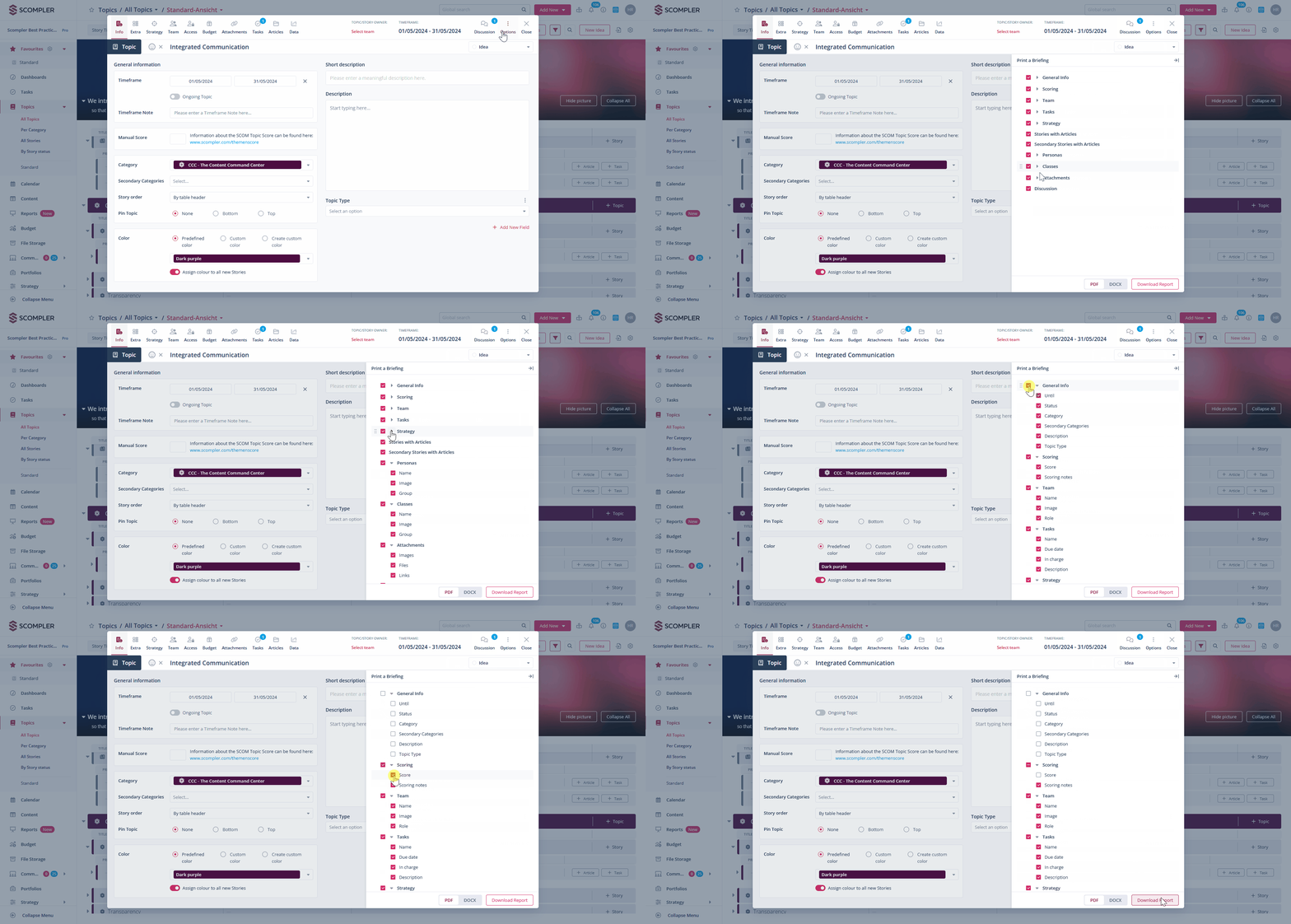
- Open the topic, story, or article card.
- Click Options > Print a briefing.
The Print a briefing dialog opens. - Deselect whole sections or single options you don't want in the briefing.
- Select PDF or DOCX.
- Click Download Report.
You have exported the briefing. Scompler saves your selection for the next export.
Briefings of topics and stories contain links to their stories and articles. People with access to Scompler can open them directly.