
Faster planning, easier media editing, an AI that remembers you, and much more: our October release brings five new features to Scompler. Here’s a quick look at what each one does, with links to all the details.
To discover all enhancements, including minor improvements and fixes, also take a look at our Product Updates.
Beta · All users
New Topic Architecture
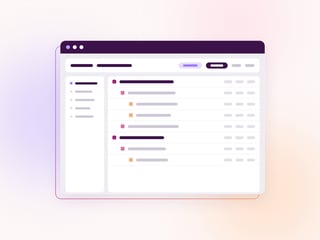
Meet the new heart of your content planning. The revamped Topic Architecture is much faster, more organized, and combines the previous 4 views into 1. Choose your starting level right in the view, from categories all the way down to articles or story status. The new view is available as a beta, only applies to you, and you can switch back at any time.

Beta · Scompler PRO plans
Media Editor
Crop, edit and trim your media without ever leaving Scompler. The new Media Editor lets you crop with presets for every network, add filters, text or stickers and shorten videos of up to 120 seconds. Enable the dedicated option in Project settings to convert, compress and fit every image automatically to the network you selected.

Scompler AI users
Memories in Scompler AI
Scompler AI now remembers what matters to you. Just ask, for example “Remember that we always address readers formally”, and it will apply this to every future chat. Memories are also created as you go: details about yourself, such as your role, preferred formats, writing style or tone of voice, are saved automatically. You can view and delete your memories at any time, and only you can see them.

All users
Sentiment Analytics
How did your audience really react? Sentiment Analytics puts the answer right next to your performance data. You can now find a column for the Net Sentiment Score in all Performance Overview widgets, follow sentiment distribution and development in two new Reports widgets, and see the big picture on your Dashboard at a glance.

All users · Activated by admins
Divisions
One project, many teams: Divisions let you split a project into departments, regions or business units. Assign categories, content types, teams and users to one or more divisions to keep everything neatly organized. With a click in the sidebar, users can switch between their available divisions. You can even rename divisions to match your organization’s language.
Feedback & help
Tell us what you think
Got feedback or ideas for improving a feature? Talk to your Customer Success Manager or reach out to our Support team. We'd love to hear from you!
P.S. Keep an eye out in Scompler, too: some of the new features come with an in-app tour that walks you through them right in your own project.