
This article describes the previous version of the Topic Architecture. The new Topic Architecture is available as a beta and can be activated at any time: it is faster, more organized, and brings all previous 4 levels together in one view. Learn more about the new Topic Architecture.
Ensure that the view for Stories is available to all needed user groups. You can find the respective permissions under Project Settings > Users > Groups > Topics > Page: All Stories. To edit this setting, administrator rights are required.
A clear presentation of your stories gives you better control over planning and content creation in Scompler. In the Topics section in the left navigation bar, you can choose the view that gives you the best overview of the content you want to edit, plan, and/or analyze. Click “All Stories” to switch from the topic-based story view to a pure overview of all stories.
Click on the table header to sort stories by date, creation period, priority, number of included posts, and more.

In this view, you will find all the stories you have created in Scompler. Use filters to get a better overview of the content you want to see. If needed, you can save views and share them with your team to increase the efficiency of your daily work.
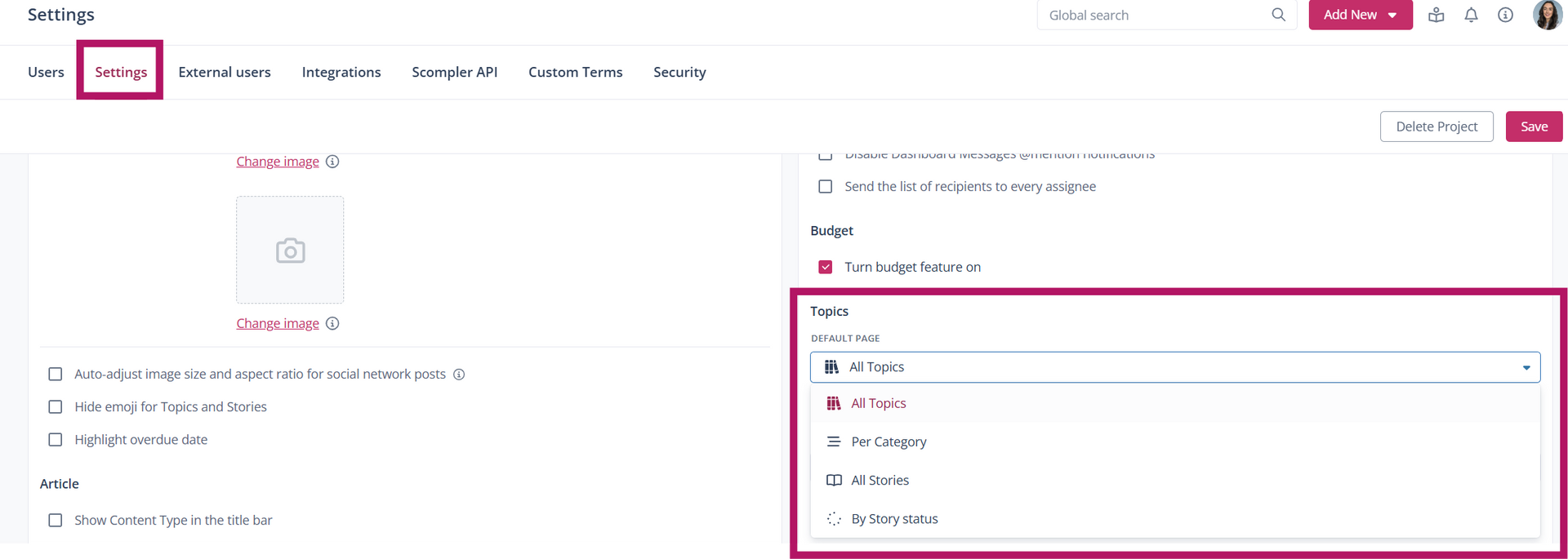
In the project settings, under the “Settings” tab, you can define the default page for the Topics view in the Topics section.
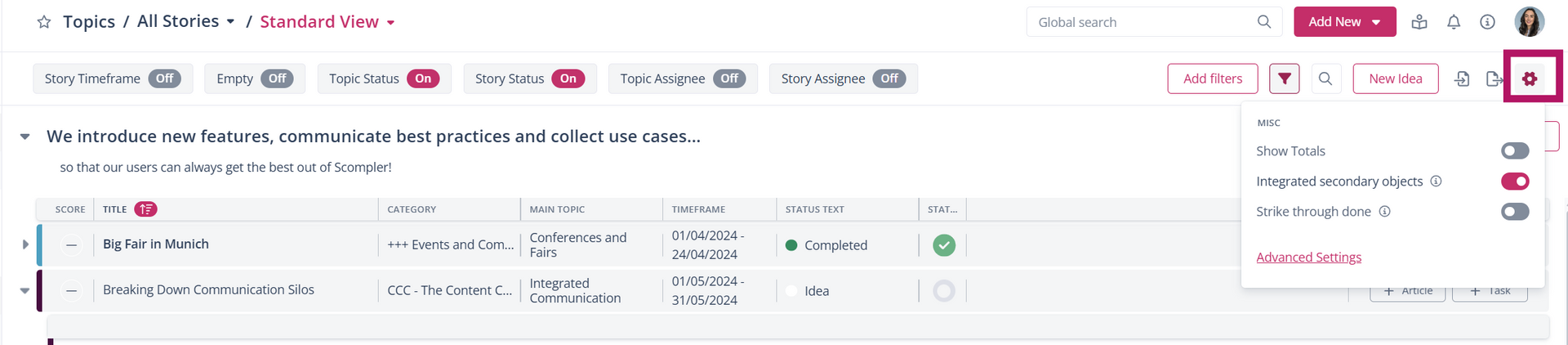
Using the configuration wheel in the top right, you can:
- Display the number of stories
- Include secondary linked stories
- Show completed stories as strikethrough
- Under “Additional settings,” you can customize the columns.
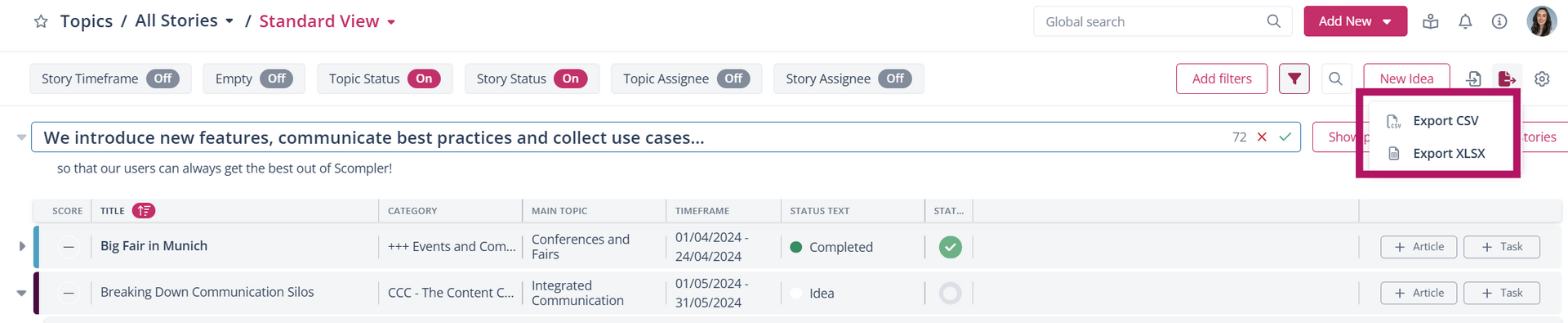
TIP: Export a list of the stories you want to view. First, create the desired list using filters, then click the Export button.
When importing, also follow the instructions provided. These will appear as soon as you click the “Import” button.